In the process of 3D printing, Z-axis offset is a common problem that seriously affects the printing quality. Z-axis deviation refers to the deviation of the printing platform (or nozzle) in the vertical direction, which leads to the inaccurate alignment between layers, thus causing model deformation, interlayer dislocation and even printing failure. In order to ensure the printing accuracy and success rate, it is very important to know and master the methods to avoid Z-axis offset.
I. Reasons for Z-axis deviation
First of all, understanding the causes of Z-axis offset is helpful to solve the problem more effectively. Common reasons include:
1. The guide rail or screw rod is loose: Z axis usually moves vertically by the guide rail and screw rod. If these components are not installed firmly or are worn during use, it will lead to unstable movement.
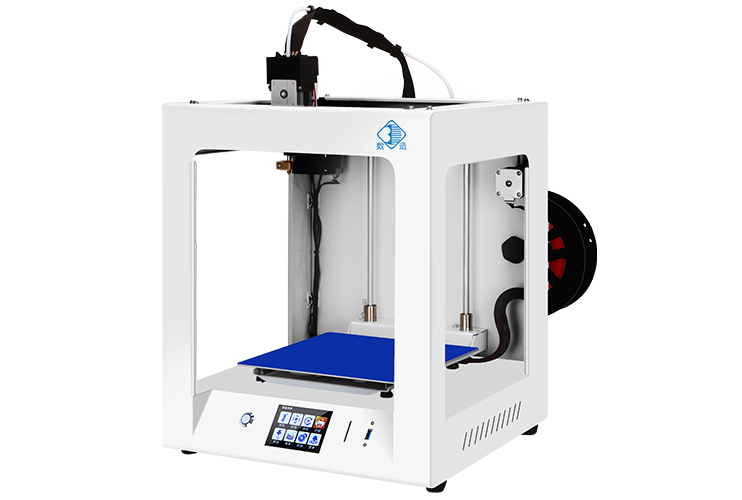
2. The synchronous belt is loose or misaligned: the Z axis is driven by the synchronous belt driven by the stepping motor to drive the screw rod to rotate. If the synchronous belt is loose or offset, it will cause transmission errors.
3. Stepping motor out of step: When the motor torque is insufficient or the load is too large, it may lead to motor out of step, thus causing Z-axis deviation.
4. Unbalanced platform or deformation of hot bed: If the printing platform is not leveled or the hot bed is warped due to temperature change, it will also lead to the wrong position perception of Z axis.
5. Improper setting of firmware or software: such as wrong setting of Z-axis step, uncalibrated automatic leveling, etc.
Second, methods to avoid Z-axis deviation
In order to effectively avoid Z-axis offset, we can start from the following aspects:
# 1. Check and fasten the mechanical structure regularly.
Regularly check whether the Z-axis guide rail, screw and bracket are fastened to ensure no looseness. For printers using dual Z-axis motors, it is also necessary to ensure that the two motors work synchronously to prevent tilting caused by one side offset.
# 2. Adjust the tension of synchronous belt
Keep proper tension of synchronous belt to avoid transmission slippage caused by too loose. You can gently press the synchronous belt with your fingers to see if its elasticity is moderate. If wear is found, a new belt should be replaced in time.
# 3. Calibrate the parameters of stepping motor
Check whether the current setting of Z-axis stepping motor is appropriate to ensure that it has enough torque to drive the platform. At the same time, confirm that the Z-axis steps per millimeter (steps/mm) are set correctly in the firmware to ensure the motion accuracy.
# 4. Precise leveling platform
Use manual or automatic leveling function to ensure that the printing platform remains level in the whole printing area. You can use paper to test the gap between the nozzle and the platform to ensure that each corner is uniform. For printers with probes, the probe height should be calibrated periodically.
# 5. Control the printing temperature and environment
Excessive temperature of the hot bed may lead to thermal expansion of the metal platform, which may affect the initial position of the Z axis. It is suggested that the platform should be cooled to normal temperature after printing, and then measurement and leveling should be carried out. In addition, keep the printing environment stable and avoid drastic temperature changes and vibration interference.
# 6. Use high-quality printing platform and supporting structure
Choosing a printing platform with high flatness and high temperature resistance (such as glass plate and PEI plate) and matching with appropriate supporting structure is helpful to improve printing stability and Z-axis accuracy.
Third, the conclusion
In a word, Z-axis offset is one of the important factors that affect the quality of 3D printing. Through daily maintenance, reasonable setting and accurate leveling, this problem can be effectively avoided, thus improving the success rate of printing and the quality of finished products. Both beginners and experienced users should pay attention to the inspection and maintenance of the Z-axis system to ensure that the printer is always in the best working condition. Only in this way can we give full play to the potential of 3D printing technology and provide more reliable support for creativity and manufacturing.

 Hotline:18914229323

 18914229323
 huichangwen@126.com