When using 3D printing technology to print complex models, we often encounter suspended structures or parts with steep angles. If there is no extra support in the printing process, these parts are prone to collapse and deformation, which will affect the printing quality. Therefore, it is particularly important to set up a suitable supporting structure in 3D printing. This article will introduce how to correctly set the supporting structure in 3D printer to ensure the printing success.
First, understand the role of supporting structure
The supporting structure is an auxiliary structure that provides temporary support for the suspended part of the model during printing. It can effectively prevent the failed printing caused by sagging or fracture of materials. After printing, these supporting structures can usually be easily removed manually or with tools.
2, judging whether a supporting structure needs to be arranged.
When deciding whether to add a supporting structure, the following points should be considered:
1. Suspended angle: It is generally suggested that when the model has a suspended structure with an angle greater than 45 degrees, it is necessary to set supports.
2. Bridging structure: If there is a bridging structure in the model (that is, the unsupported spanning part between two points), it is also suggested to add support to improve the success rate.
3. Model design: Some special designs, such as large span and barbed structure, almost have to rely on support to complete printing.
III. Common types of supporting structures
At present, mainstream slicing software (such as Cura, PrusaSlicer, Simplify3D, etc.) all provide a variety of support structure setting options:
1. Touching Buildplate Only
Support is only generated at the part where the model contacts the printing platform, which is suitable for the situation with suspended structure at the bottom.
2. All support (Everywhere)
The structure is generated at all places where the model needs to be supported, which is suitable for complex models with many suspended structures.
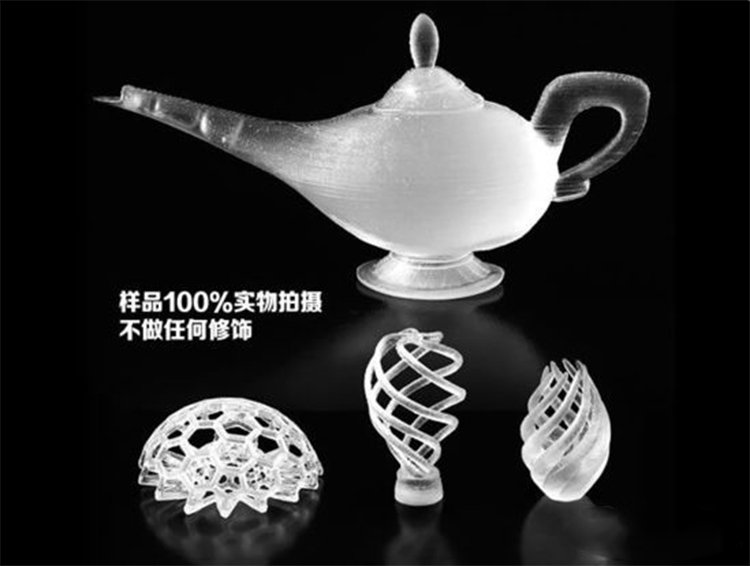
3. Support Blocker
Users can customize some areas not to generate supporting structures to avoid unnecessary waste of materials.
In addition, there are new supporting structures such as Tree Support, which are more material-saving and easy to remove, and are suitable for complex but irregular suspended structures.
Fourth, set the key parameters of the supporting structure
In order to obtain the best supporting effect, the following parameters should be set reasonably:
1. Support density: If the density is too high, it will waste materials and be difficult to dismantle; if the density is too low, the support effect will be insufficient. It is suggested that it should be set to 15%-20% when printing for the first time.
2. Support layer spacing: The smaller the value, the denser the support, but it is also more difficult to remove. Usually set to 2-3 times the height of the story.
3. Distance between the support and the model: This parameter determines the gap between the support structure and the model. Too close will make it difficult to dismantle, and too far may affect the supporting effect. It is generally recommended to set it between 0.7 and 1 mm.
4. Support top/bottom clearance: It is used to control the connection tightness between the support structure and the bottom of the model, and it is recommended to set it as the distance of several layers to facilitate later demolition.
Fifth, optimize the supporting structure to improve printing efficiency
1. Use soluble supporting materials: For the dual-nozzle printer, the combination of PLA+PVA or ABS+HIPS can be used, and the supporting structure can be dissolved in water, which greatly simplifies the post-treatment process.
2. Adjust the direction of the model: Sometimes by rotating the model, the suspended part can be reduced, thus reducing the usage of the supporting structure and improving the printing efficiency.
3. Test printing: When printing a complex model for the first time, it is recommended to test it with cheap materials first, and then print it formally after adjusting the supporting parameters.
VI. Summary
Setting a reasonable supporting structure is a necessary step to ensure the success of 3D printing. By understanding the function of supporting structure, selecting appropriate types, adjusting key parameters and optimizing the model according to the actual situation, the printing success rate and model quality can be effectively improved. With the development of technology, the design of supporting structure has become more intelligent and efficient, which provides more convenience for 3D printing enthusiasts and professional users.
Mastering the setting skills of supporting structure can not only improve the accuracy and aesthetics of printed products, but also save the cost of materials and time to a certain extent, which is an important skill that every 3D printing enthusiast must master.

 Hotline:18914229323

 18914229323
 huichangwen@126.com